I’ve got theTicket-ID from Application Support SD by email and I´m trying to follow the online activation instructions. However the procedure is not working properly. At Phoenix Contact Activation Wizard the option “Activate License” is not available. Check the screenshot below. I’m using an internet connected PC for this procedure. 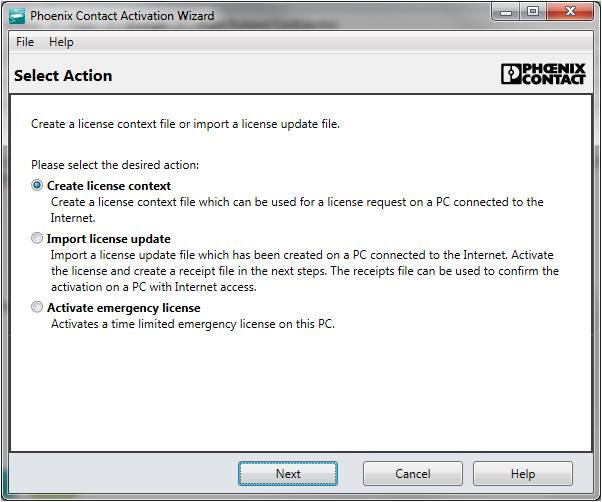
Hello, does your PC have a Internet connection?
Is this connection maybe very slow?
is there any Firewall blocking the Software?
Maybe also start as Admin. Currently you need access to the Internet for licensing the software
We will later have also the posibility of offline licensing.
Yes, I have internet connection on my PC and there’s no firewall blocking the software. I’m using Admin access.
Please check if the CodeMeter Service is running.
Are there any errors in the Log? do you have the Windowsfirewall activated? please check if there are exceptions for Codemeter and the Activation Wizard.