Hello, I´m trying to compile a project from the C++ Sample Code Pack but get the error message:
Error: Program “arm-pxc-linux-gnueabi-g++” not found in PATH
But creating and building a project by myself seems to work without this error.
So I guess I have to select the right toolchain for the imported example Projects. If this causes the error, I would like to know where I can access this configuration of an existing project.
Furthermore I want to implement an mqtt client. In this topic Oliver points out that he recommends the "PCWE_EX_CPP_LibmodbusTCP_2.msi "example as a good starting point.
Unfortunately I can´t find this example anymore. Thanks for your support, Jimmy Pesto
Hi Jimmy, I assume that you’re trying to compile in Eclipse? If so, please check this note in the ReadMe document that is packaged with the samples: 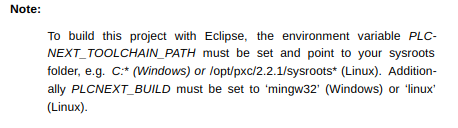 If you want to check all Eclipse settings, I made this video a while back that shows how to set up Eclipse from scratch to compile a simple “Hello World” program for the AXC F 2152 (after installing the SDK, of course). https://youtu.be/IVg8HFVydow Your project settings should look similar to the ones in the video (note that I was running Eclipse on a Linux machine). ========================================================================================== Re. MQTT client - unfortunately the Libmodbus sample has been removed from our Download area since that post was written. However - also since that post, we now have a tutorial on how to compile Mosquito for the AXC F 2152.
  https://plcnext-community.net/index.php?option=com_content&view;=article&id;=257:crosscompile-guide-mosquitto&catid;=23&Itemid;=307⟨=en Please let us know how you get on with this. - Martin.
You are right, I´m using Eclipse. After installing the samples it took me a while to find the path to the examples.
It would be great if the installer (I dont really get why it is not just a container) would specify this.
But yes, reading the readme would have been a great idea. Even though it would not have helped a lot without your cracking Video. In all settings there is this variable for the toolchainpath at the beginning of the specific paths:
${PLCNEXT_TOOLCHAIN_PATH}/cortexa9t2hf-neon-pxc-linux-gnueabi/usr/include/plcnext
This whole ${PLCNEXT_TOOLCHAIN_PATH} can not be set in a single menu and then be used in all settings?
Is it just a Linux thing?
Because of the PCWORX Engineer im using a Windows PC even though im more into Xubuntu.
I successfully build the project (GdsDataAccess) but can´t find a directory “Debug” containing an executable (as in your video). So I can´t check if corsscompiling for ARM went well. But I think its working.
========================================================================================== I found the Mosquitto turorial after opening this thread. I will work with that but I think I will need some further help. Thanks for your Help, greetings, Jimmy Pesto
Hi Jimmy, Thanks for the feedback, all good comments. Before you get too far with the samples, or with the Mosquito tutorial, please be aware that the way we integrate C++ programs into PLCnext Control will change with the next major software release, before the end of this month. More details to follow in the coming weeks, including samples and tutorials that show how to build C++ programs with new tools that are part of the upcoming release. - Martin.