Good day, I have a problem with the timestamps on my data in the Time Series Data Service. I understand the TSDS uses UTC but my PLC is set to my local time UTC+2. When the data is saved in the cloud the real-time data is recorded as being 2 hours ahead of my local time. What can I do to make the latest data coming in match my local time? Thanks, Damian


Hi Arno, Thanks for the suggestion. My concern is that I have a datalogger instance running on my PLC as a backup in case the TSD misses data due to an internet connectivity issue. If I change the PLC time to UTC then my timestamps for the datalogger service will be off by 2 hours.
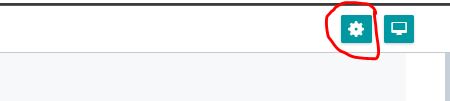

Hi Arno, That setting was already on ‘Local browser time’ I changed it to UTC time and now the timestamps in the TSD are correct. If I set the display time range now the most recent 2 hours aren’t displayed but that is less important than the timestamps being correct. Thank you for your assistance, Damian