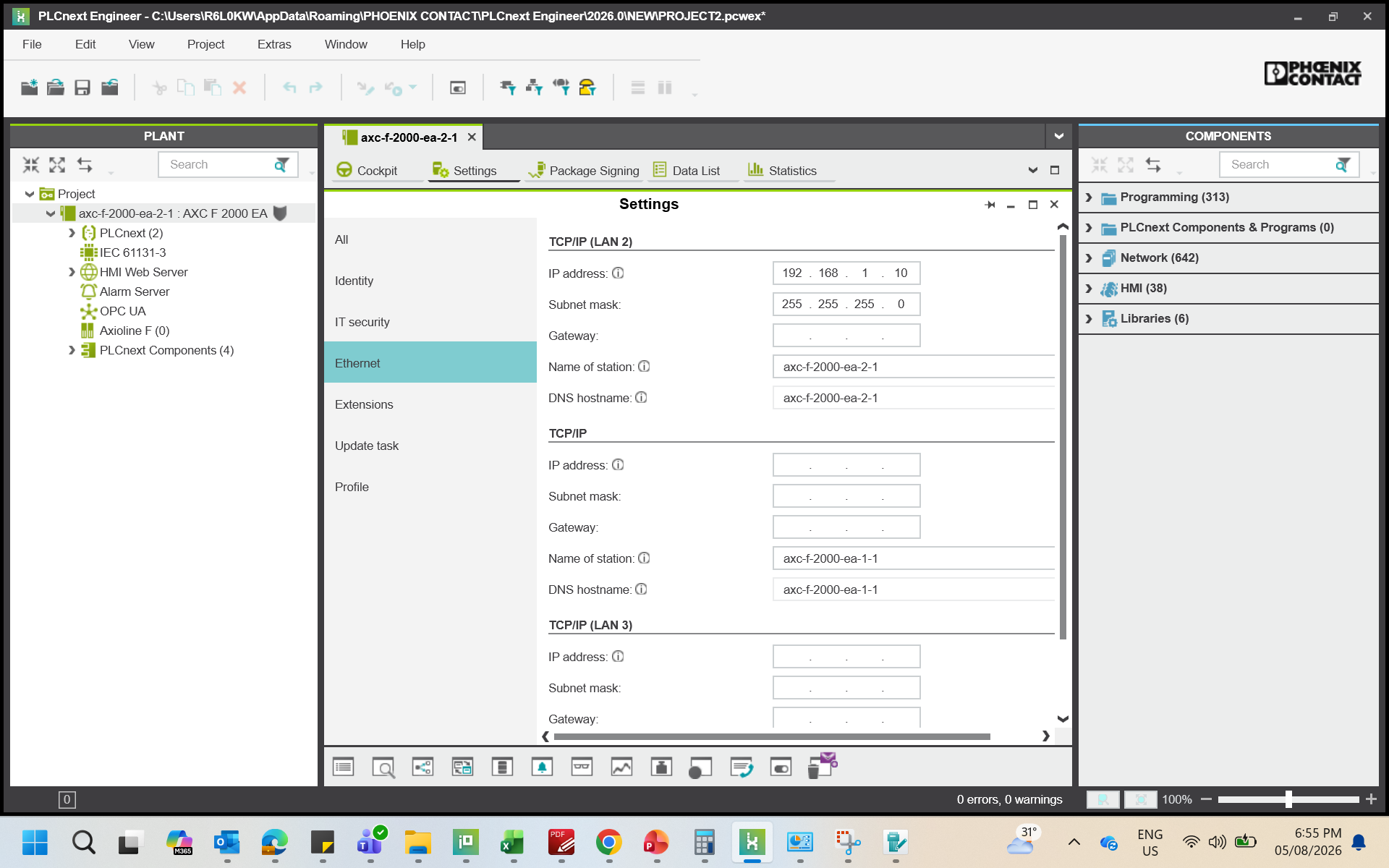
Trying to connect 2000 EA controller with PLCnext engineer, able to establish connection from Cockpit but in next step when trying to search it under Online Controllers after selecting network adaptor but it flashes message stating No Device Found.
connecting to a PLC via Cockpit works via different services than searching them in Online Controllers.
Online Controllers uses DCP (Profinet) and has some limitations such as not being able to be routed. Or it might be disabled on the PLC itself (I am not familiar with a 2000 EA controller).
Here are some follow up questions:
What’s your network setup?
Why would you need to find the PLC in Online Controllers in the first place? You seem to be connected already.
I have recently joined so as per my info while connecting PLC we had to search & select the controller under Online Controller tab also once it is connected via Cockpit.
And for DCP service, yes i had observed that in none of the three ports Profinet is not mentioned for the 2000 EA contoller Ethernet settings page (screenshot attached).
Well… you can upload projects to the PLC without the controller being visible in the Online Controllers view.
Maybe the person who told you that:
“…while connecting PLC we had to search & select the controller under Online Controller tab also…”
can explain why that would be necessary for your task.
Just received a 2000 plc. Same problem. In Netnames or plcnext-e it does not show. All xx52 plc’s do. Only possibility was to make a dedicated network (usb-eth) assign it a 10,20 or 30 ip range and use the WBM to set everything up. There is a firewall which was turned on. Turning it off did not fix the problem. Is this done on purpose? It means that every time you connect to the plc you have to, set it to level 1 and take it out and connect this to a dedicated network to fix the ip addresses. This should not be. The 2000 plc is wonderful designed, fast and stays very cool. Please Phoenix improve this or explain what i/we do wrong.
Here is the explanation for the behaviour described in this conversation:
Both Netnames and the PLCnext Engineer “Online” window use the DCP protocol to search for Profinet devices on the local area network.
PLCnext Control devices like the AXC F 2152 include a Profinet stack and, when the Profinet feature is enabled on that device, the device responds to DCP requests.
The AXC F 2000 EA does not include a Profinet stack, therefore these DCP features are not available.
The user manual for the AXC F 2000 EA mentions the default IP address for each Ethernet interface, but it should probably be clearer about how to change those IP addresses. The procedure described by @gdv - e.g. via WBM on a dedicated 192.168.1.0/24 network - is probably the best way to do this.