Bonjour, J’ai 3 PLC Omron NX-102 et un PLCNext AXC-2152. Mon objectif est de communiquer avec les 3 Plc Omran afin de collecter les données de ces derniers et de les mettre sur Proficloud ou bien IXON Cloud. mon problème est que je n’ai pas trouvé une solution pour faire la communication, j’ai essayer la méthode Ethernet IP mais je n’ai pas trouvé les type de variable EIP_ IO_ OUTPUTS et EIP_IO INPUTS. Es-ce qu’il y a une librairie pour ajouter ce type de variable? Est-ce que vous pouvez me suggérer une solution pour mon problèmes Sincères amitiés, Lassaad Sbiha
I hope this is an accurate translation of your question. If not, please let us know.
I have 3 Omron NX-102 PLCs and a PLCNext AXC-2152. My goal is to communicate with the 3 Omran Plcs in order to collect their data and put them on Proficloud or IXON Cloud. my problem is that I did not find a solution to make the communication, I tried the Ethernet IP method but I did not find the variable type EIP_ IO_ OUTPUTS and EIP_IO INPUTS. Is there a library to add this type of variable? Can you suggest a solution for my problem
Please check that you are using firmware version 2019.9 or later. You should see the following variable names in the global variable table: Note that the PLCnext controller is an EtherNet/IP Device that implements support for a single Exclusive Owner connection, so you will not be able to collect data from 3 Omron Scanners connected at the same time. Only 1 EtherNet/IP client can write data to our PLCnext EtherNet/IP device. Alternative solutions:
                                               1. Our EtherNet/IP implementation also supports Input Only and Listen Only connections, meaning that he could have 3 Omron Scanners receiving data from out EIP as the same time.
                                               2. Or 1 Scanner writing to the PLCnext and 2 other reading from the PLCnext.
Hope this helps. ~ Martin.
I have the 2021 version of the firmware and I have not found the list of variables in the global variables.
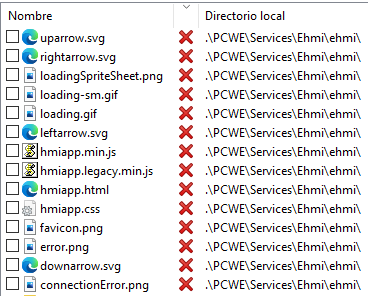
Here are the variables: