Dear All, Is there a way to find out which FW version is currently active on the AXC F 2152? Best regards, Stijn Noppe
Hi Stijn you can find the current firmware in PC Worx Engineer. Open the AX F 2152 in the Plant View. Go to Cockpit / Device. Here you can see the firmware version in online Mode. 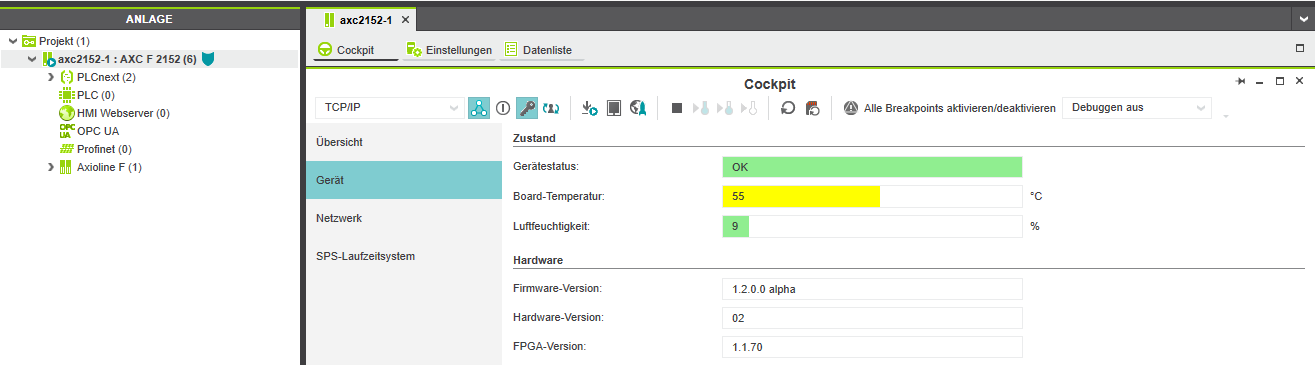 - Björn
Hi, I’ve just created for this a FAQ. https://www.plcnext-community.net/index.php?option=com_fss&view;=faq&tmpl;=component&window;=1&faqid;=74&Itemid;=272⟨=en Have a nice weekend! Frank
Dear All, I found the answer to my problem in a response of Bjoern on another forum topic. In order to get the current firmware of the controller via CommandLine open the following file: /etc/plcnext/arpversion Best regards, Stijn Noppe