Hello !
I’m making a HMI to control a 3-step robot in PLCnext engineer, but I can’t find the axis icon or other images related to the robot, I refer to this picture, how to do it. Thanks
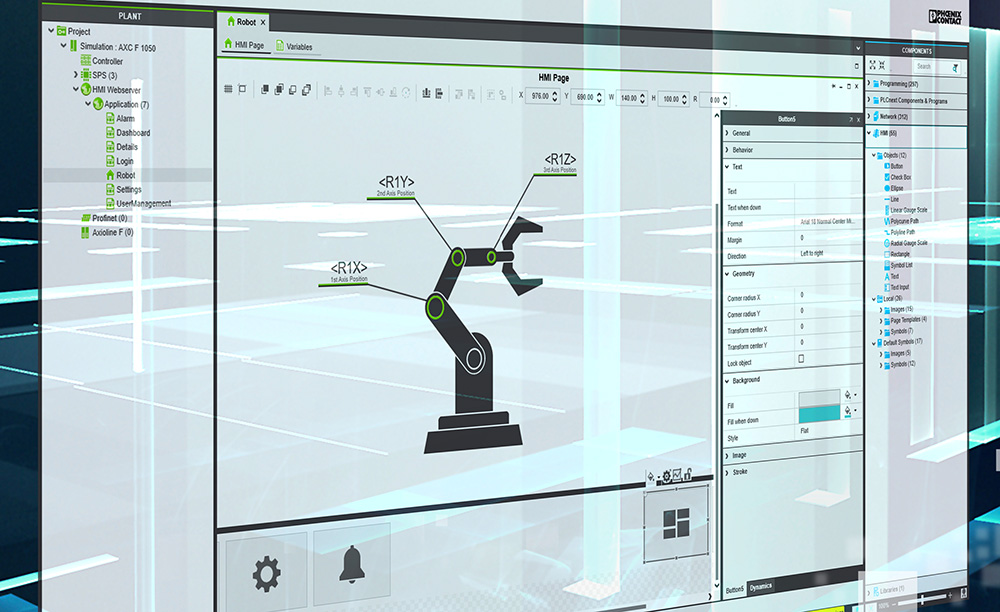

I am fairly sure that the robot in that marketing image was a custom symbol created by someone for that specific project, and probably just for marketing purposes, so the symbol is probably not functional.
Perhaps someone in the Community has developed a similar robot symbol that they can share.
I need to correct the answer I gave a few months ago.
It turns out that there is a demo project installed with PLCnext Engineer, called DEMO. That project includes a HMI symbol for the robot that is shown in the image in the original question.
I need to correct the answer I gave a few months ago.</p>It turns out that there is a demo project installed with PLCnext Engineer, called DEMO. That project includes a HMI symbol for the robot that is shown in the image in the original question.</p>
Is this demo project a part of default installation? I can’t find any demo project after installation of PLCnext Engineer 2023.6.
