I have issues with OPC UA Server with online notification: app.services.opcuaserver.startfailed
IDE: PLC Next Engineer 2026.3
Simulator: Simulation_Setup_AXCF1152-2026.0.2.exe
I have issues with OPC UA Server with online notification: app.services.opcuaserver.startfailed
IDE: PLC Next Engineer 2026.3
Simulator: Simulation_Setup_AXCF1152-2026.0.2.exe
Hi emedan,
If you can provide:
Double check so not the Windows OS security block all application to run
BR Acke
After some extra restarts and a new day it works, so normal windows behaviour I guess 
I’m too lazy to start a new thread, but the server is accerssiblenot through the configured PLC IP (.10 in the default project) but instead at .2, which is the same as the web server but also an adress I can’t find where it is configured.
Hi Emedan,
Follow this link to have access to complete guide about our simulation.
Simulation gives only you acceess via the localhost ip.
The info webpage gives you also good information about plcnext system and other tutorials
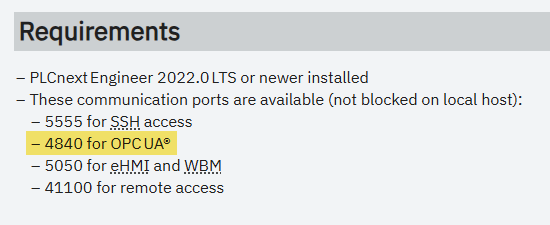
Regarding the initial problem reported in this thread - I don’t know if this was the cause, but it’s reasonably common for people in our industry to have an OPC UA server (e.g. Kepware) running on their PC, which could block port 4840. From the page that Acke linked to:
If the problem re-appears, or if anyone else has this problem, it’s worth checking if another application is blocking port 4840.