We need to automate our testing workflows. Right now our setup requires us to run through a manual update on PLCnext Engineer where we load the pcwex project, and then we Project => Rebuild it.
For context, this is a pcwex project with a C# library.
Is there any way to invoke this workflow from the CLI?
Ideally, we would love to do this in a linux environment. We are also open to drive this from powershell or some other automation on Windows.
Leaving a trail of my attempts:
It turns out pcwex files are zip files. Uncompressing shows a *.proj file which is effectively an MsBuild project.
Running msbuild against my proj yields the following error:
C:\ws	est\PROJECT\PROJECT.proj(15,10): error MSB4033: "Extension" is a reserved item metadata, and cannot be redefi
ned as a custom metadata on the item.
I suspect this is because I am using either a different version of MSBuild (Using VS2019 toolchain in Windows for now) than what this project expects, or I need to setup the environment to replicate what PLCnext Engineer does natively.
There is a (paid) add-in for PLCnext Engineer, called the “Application Control Interface”, which you can order from your local Phoenix Contact sales office:
image.pngThis allows you to automate actions in PLCnext Engineer, but only on a machine where PLCnext Engineer is installed.
There is currently no public documentation for this add-in, but your local Phoenix Contact sales office should be able to give you some information.
Hi! I’m looking for the same feature to automate the process of building project binaries. This is interesting for us to build a CI/CD pipeline. Have you found a solution for that?
Please get in touch with your local Phoenix Contact office and ask them about the “Application Control Interface” add-in for PLCnext Engineer:
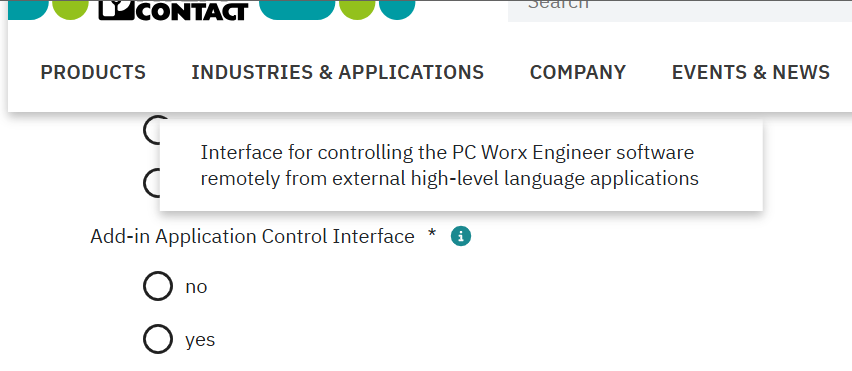
(“PC Worx Engineer” is a long-obsolete former name for PLCnext Engineer).
1 Like