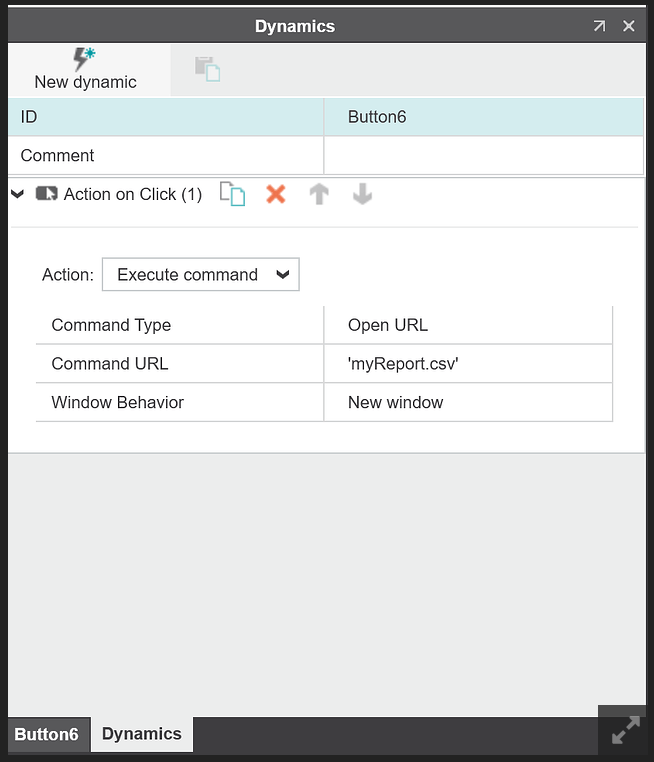
My goal is to have an HMI button that when it is pressed, then I transfer a file from my plc (AXC F 2152) to a usb that is connected to my web panel (WP 6070-WVPS). Web panel has the latest firmware 4.3.4.
I have setup the PLC and the Web panel so that when I download a file, it is directly downloaded to the USB that is connected on the panel. My problem is that after a panel reboot, the first time I press the button, then the panel completely leaves the HMI and goes to a blank screen. If I then go back and do the same, then it is correctly downloading in the background.
Is there a way to fix this so that the blank page does not load and the panel stays on the HMI when downloading the file?
I spent some time playing around with the downloading. Nothing useful came of it—neither through an intermediate file with an embedded script, nor with a script in the URL bar… It looks like a limitation in the panel’s browser implementation. Because it works fine in major browsers like Chrome and Firefox..
As you mentioned, first click to download button leads to blank screen, and only after return to base visu via side system panel it became operates as expected.
This question is not related to PLCnext Technology, and I’m afraid that I don’t know the answer to that question.
Your local Phoenix Contact office is aware of this discussion and they should be in touch to help further. You can also contact them yourself, if you want.