Hello,
My goal is to have an HMI button that when it is pressed, then I transfer a file from my plc (AXC F 2152) to a usb that is connected to my web panel (WP 6070-WVPS).
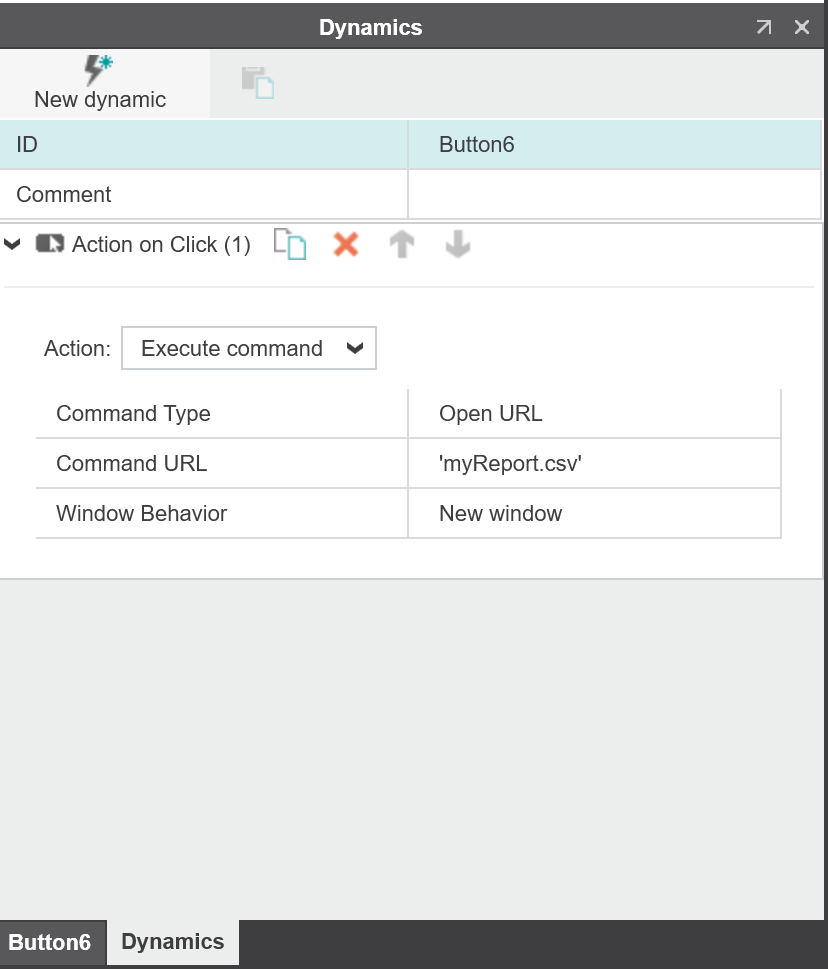
One way I was thinking is the same way I was downloading the file to my PC. This is through an HMI button. Of course this requires a script running on the web panel that says that any download should directly be saved to the USB connected on the panel. The problem with this is that when I press the HMI button from the web panel, then the panel performs a restart instead.
Another way I was thinking is through an HTTP post function but this requires several posts because my file data are approx. 10000 bytes and the library that I use requires strings of max 2048 bytes.
I was wondering if there was a simpler solution that I could implement. Any thoughts are very welcome.
Thank you in advance!